
How to scan invoices with your mobile phone and digitize them instantly
Learn how to turn your smartphone into a powerful business document digitization tool. Scan, process, and organize invoices from anywhere with advanced OCR technology and intelligent data recognition.

Scanning invoices with your mobile phone has revolutionized business document management. At Dijit.app, we have developed a mobile app that turns your smartphone into a professional scanner. Our advanced OCR technology automatically recognizes key data such as amounts, dates, suppliers, and line items, eliminating the need to manually enter information.
The main advantage of scanning invoices with your mobile phone is immediacy and mobility. You can digitize documents from anywhere: in the office, in client meetings, or while on the move. Our AI processes the information in real time, automatically classifies documents, and integrates them directly with your accounting and management systems. The result is a 95% reduction in processing time and accuracy above 99.99%.
View pricingHow OCR and AI digitize scanned invoices with a mobile phone
When you decide to scan invoices with your mobile phone, Optical Character Recognition (OCR) technology acts as the fundamental first step in the digitization process. This advanced technology converts the image captured by your smartphone into editable digital text, accurately identifying every character, number, and symbol present in the invoice. Modern mobile OCR is specifically optimized to work with the variability of capture conditions offered by mobile devices, from different lighting angles to uneven surfaces.
Artificial intelligence complements OCR by adding semantic and contextual understanding that goes far beyond simple character recognition. While OCR extracts raw text, AI interprets its real meaning, identifies specific business patterns, validates the consistency of extracted data, and automatically structures the information for immediate use in management systems. This technological combination transforms the simple act of photographing an invoice into a complete intelligent digitization process that prepares the data for immediate business integration.
Mobile OCR: The foundation of intelligent digitization
The process of scanning invoices with your mobile phone begins with advanced optical character recognition, which transforms images of physical documents into fully processable and editable data. This modern mobile OCR technology is specifically designed to overcome traditional capture limitations, delivering professional results from any smartphone. The system leverages the mobile device's processing power to perform automatic real-time corrections, optimizing image quality before text recognition.
- High-resolution capture that makes full use of the mobile device camera to obtain sharp images
- Automatic perspective correction and document straightening to optimize recognition accuracy
- Precise character recognition with accuracy above 98% even under variable lighting conditions
- Simultaneous processing of multiple languages and invoice formats without prior configuration
- Automatic contrast and sharpness optimization to improve the readability of blurry or damaged text
This mobile OCR technology makes it possible to convert any physical invoice into fully editable and structured digital text, automatically preparing the data for the next level of intelligent processing. The result is a solid digital information base that preserves the integrity and accuracy of the original data while making it easier to manipulate and manage later in business systems.
AI + OCR: Complete and intelligent digitization
The synergistic combination of OCR and artificial intelligence transforms simple invoice scanning with a mobile phone into a complete advanced business digitization process that goes far beyond basic text recognition. This technological integration allows your mobile device to function as a professional document processing tool, capable of automatically understanding, interpreting, and structuring the captured information. AI brings learning and adaptation capabilities that continuously improve the accuracy and efficiency of the digitization process.
- OCR converts the image into digital text while AI interprets the business and semantic context of the document
- Intelligent automatic classification of the document type and data structure without manual configuration
- Smart extraction of sector-specific key fields using advanced machine learning patterns
- Automatic cross-validation of information and proactive detection of inconsistencies or potential errors
- Direct and seamless integration with accounting and business management systems through specialized APIs
This revolutionary technological synergy allows your smartphone to become a professional enterprise-grade digitization tool, processing invoices with the precision, structure, and format required for modern business management. The result is a fully automated workflow that eliminates human error, reduces processing times, and optimizes the operational efficiency of any organization.
Why scan invoices with your mobile?
Benefits of business mobile digitization with Dijit.app
Business mobility and flexibility
Scanning invoices with your mobile removes the geographical and time barriers of traditional document management. With Dijit.app, any employee can digitize documents from the office, client meetings, trade shows, or while traveling for work. This flexibility transforms administrative processes by allowing information capture to happen at the exact moment the document is created.
The ability to scan invoices with your mobile in real time significantly speeds up approval and processing cycles. Digitized documents are automatically integrated into business systems, reducing management time by 85% and eliminating delays associated with the physical transport of documents between departments or locations.
Speed and operational efficiency
The technology to scan invoices with your mobile from Dijit.app processes documents in under 10 seconds, from capture to full data extraction. Our algorithms optimized for mobile devices leverage local processing power, ensuring speed without relying on stable internet connections.
The automated process completely eliminates traditional manual steps: physical scanning, file transfer, manual data entry, and validation. When you scan invoices with your mobile, all these processes run automatically, reducing processing time from 15 minutes to 30 seconds per document.
Superior accuracy with mobile technology
Specialized algorithms for scanning invoices with your mobile are specifically optimized for variable mobile capture conditions: different angles, fluctuating lighting, and device movement. This adaptability ensures consistent results regardless of the digitization environment.
The Dijit.app mobile app includes automatic perspective correction, contrast optimization, and shadow removal, achieving 99.7% data extraction accuracy even with documents photographed in less-than-ideal conditions, significantly outperforming traditional digitization methods.
Security and advanced control
Security when scanning invoices with your mobile is guaranteed through end-to-end encryption that protects documents from the moment of capture until final storage. Data is never stored unencrypted on the mobile device, and transmission uses banking-grade security protocols that comply with all business data protection regulations.
Dijit.app implements granular access controls specific to mobile devices, including biometric authentication, controlled geolocation, and role-based access policies. This mobile security architecture ensures that only authorized personnel can scan and access sensitive documents, while maintaining full traceability of all operations performed.
How to scan invoices with your mobile step by step
Discover how to digitize invoices using your smartphone as a capture tool. With Dijit.app you can process documents from any location, simply by photographing them and uploading them to our web platform to obtain professional results.
Capture the invoice with your mobile
To scan invoices with your mobile, simply use your smartphone camera to photograph the document. Dijit.app accepts multiple capture formats: photos taken with your mobile, scanned documents, PDF files, JPEG, PNG or TIFF images, and even screenshots.
When photographing invoices with your mobile, make sure the document is well lit and fully visible in the frame. The image does not need to be perfect; our processing algorithms will automatically optimize quality, correct perspective, and improve contrast during subsequent processing.
Automatic AI processing
Once you have photographed the invoice with your mobile, access the Dijit.app web platform from your browser (mobile or desktop). In the document upload section, select "Upload file" and choose the photos you just took. The platform supports individual file uploads or batch uploads to process multiple invoices simultaneously.
The Dijit.app web system is optimized to work with mobile images, so you do not need to worry about the quality or format of the photos. The platform will automatically detect the document type and prepare the file for mobile invoice scanning processing.
Integration and secure storage
Once processing is complete, the data extracted when scanning invoices with your mobile is automatically integrated with your configured business systems. Dijit.app connects with more than 200 business applications, including ERPs, accounting software, CRMs, and document management systems.
All information is stored with bank-level encryption on secure servers, complying with GDPR regulations and ensuring automatic backups. The organized data enables advanced searches, expense analysis, report generation, and export to multiple formats according to business needs.
Practical use cases for scanning invoices with your mobile
Discover how different sectors are revolutionizing their document management by scanning invoices with your mobile using Dijit.app’s advanced OCR technology to digitize documents instantly and accurately.

Mobile digitization of delivery notes
Supermarkets can scan invoices with their mobile directly in the warehouse or at goods reception. Employees capture supplier invoices with the mobile camera, and Dijit.app automatically extracts prices, quantities, and product codes, eliminating manual transcription errors.
This solution makes it possible to update inventory in real time and optimize stock management from anywhere in the store.
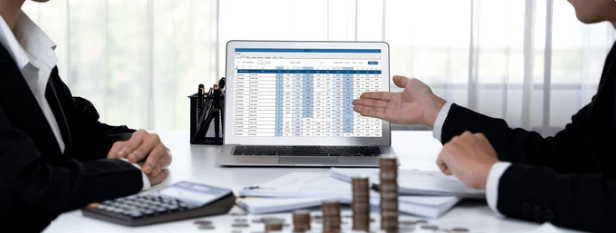
Efficient mobile accounting management
Tax advisory firms can scan invoices with their mobile during client visits or while working away from the office. Dijit.app digitizes receipts, invoices, and bills instantly, extracting tax data such as VAT, dates, and line items for accounting.
Advisors process documents from multiple clients remotely, drastically reducing administrative management time and improving the firm’s productivity.

Expense control from anywhere
Restaurants and hotels can scan invoices with their mobile while shopping at the market, dealing with suppliers, or using external services. Dijit.app lets them capture food, beverage, and supply invoices instantly, automatically organizing expenses by category.
This functionality makes real-time budget control easier and allows managers to make informed decisions about purchases and operating costs from anywhere.
Ready to scan invoices with your mobile?
Join thousands of companies that have already digitized their document management with Dijit.app